To view the n8n flow demo and copy the JSON you need to purchase our Bundle... don't worry, it's FREE

Go to the BUNDLE

Google Spreadsheet to HTML - Variant with Spreadsheet File

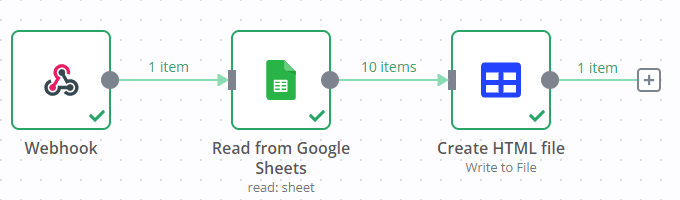
This workflow shows a no code approach to creating an HTML table based on Google Sheets data.

image.png

To run the workflow:

  1. Make sure you have a Google Sheet with a header row and some data in it.
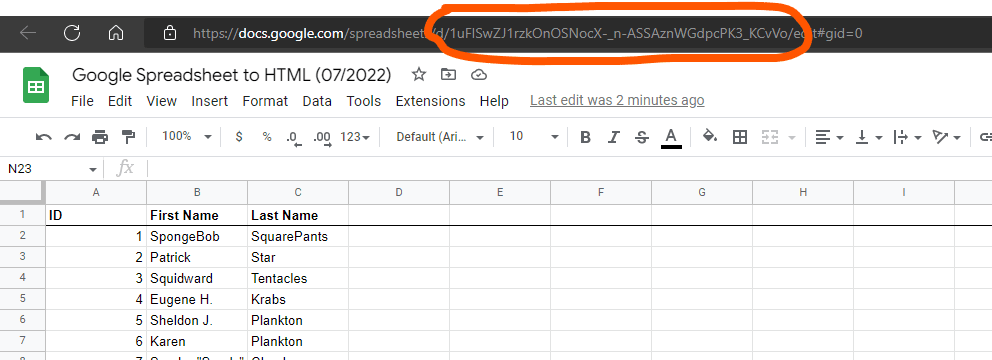
  2. Grab your sheet ID:
    image.png
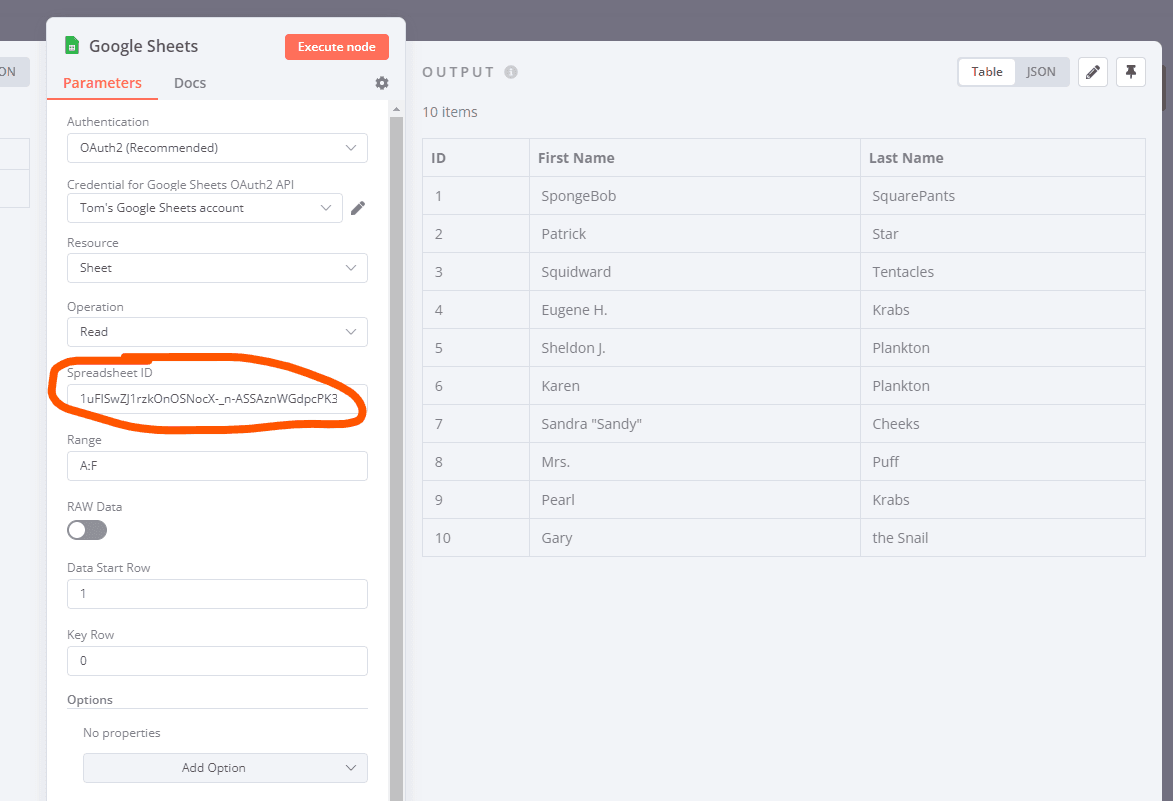
  3. Add it to the Google Sheets node:
    image.png
  4. Activate the workflow or execute it manually
  5. Visit the URL provided by the webhook node in your browser ( production URL if the workflow is active, test URL if the workflow is executed manually)
Do you want to automate your business?

Let's talk about your project