No Products in the Cart


WordPress Post Auto-Categorization Workflow
📺 Click here to watch youtube tutorial
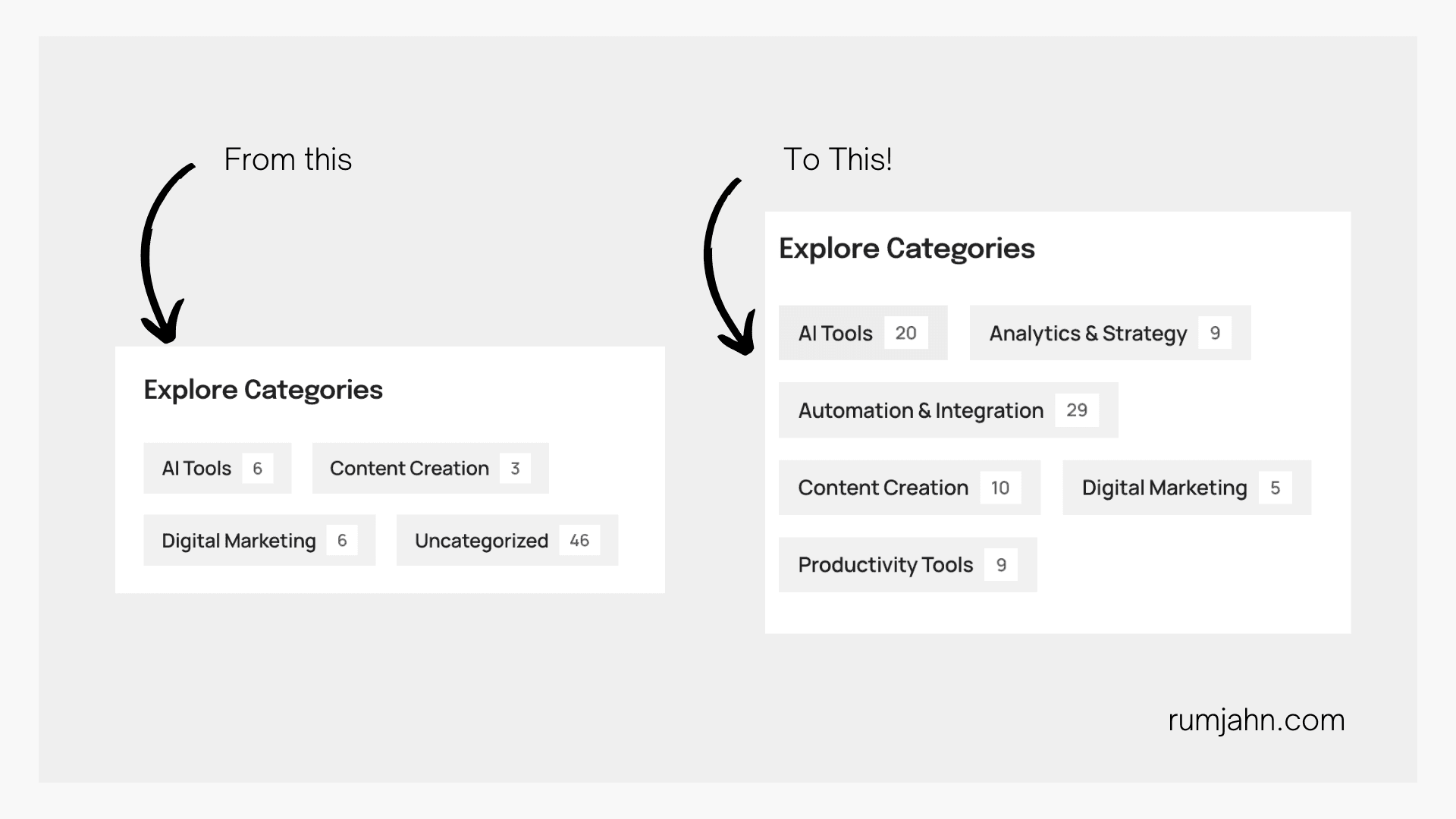
Automatically categorize WordPress blog posts using AI, saving hours of manual work. This workflow analyzes your post titles and assigns them to predefined categories using artificial intelligence.
• Connects to your WordPress site
• Retrieves all uncategorized posts
• Uses AI to analyze post titles
• Automatically assigns appropriate category IDs
• Updates posts with new categories
• Processes dozens of posts in minutes
• Modify AI prompts for different categorization criteria
• Adjust for multiple category assignments
• Add tag generation functionality
• Customize for different content types
• Add additional metadata updates
• Backup your WordPress database before running
• Test with a few posts first
• Review AI categorization results initially
• Categories must be created manually first
• Can be modified for tag generation
• Works with scheduled posts
• Handles bulk processing
• Maintains categorization consistency
Perfect for content managers, bloggers, and website administrators looking to organize their WordPress content efficiently.
#n8n #WordPress #ContentManagement #Automation #AI
Created by rumjahn
